



Intelligent Layer Recognition
Automatically maps copper, solder mask, silkscreen, paste mask, drill, and outline files to the correct manufacturing layers.
Engineering Data Visualization
Convert Gerber, Excellon, or ODB++ manufacturing files into clear, interactive PCB views. Inspect layers, dimensions, drill data, and key manufacturing parameters before requesting a quote.
Supported Archive Formats
Gerber / Excellon support ZIP, RAR, and 7z; ODB++ supports TGZ
Uploaded files are deleted immediately after server-side processing and are never retained.
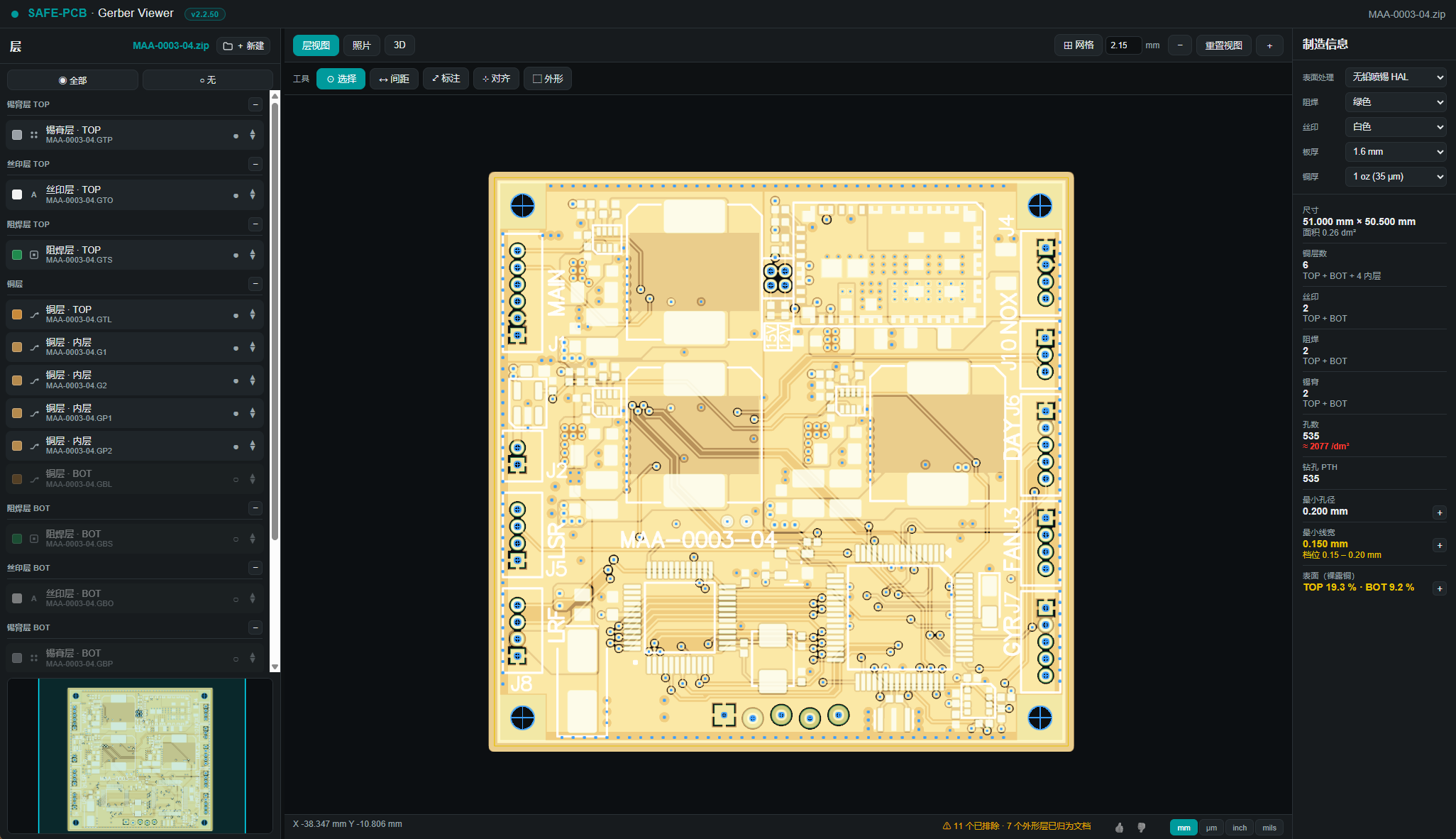
Layer View
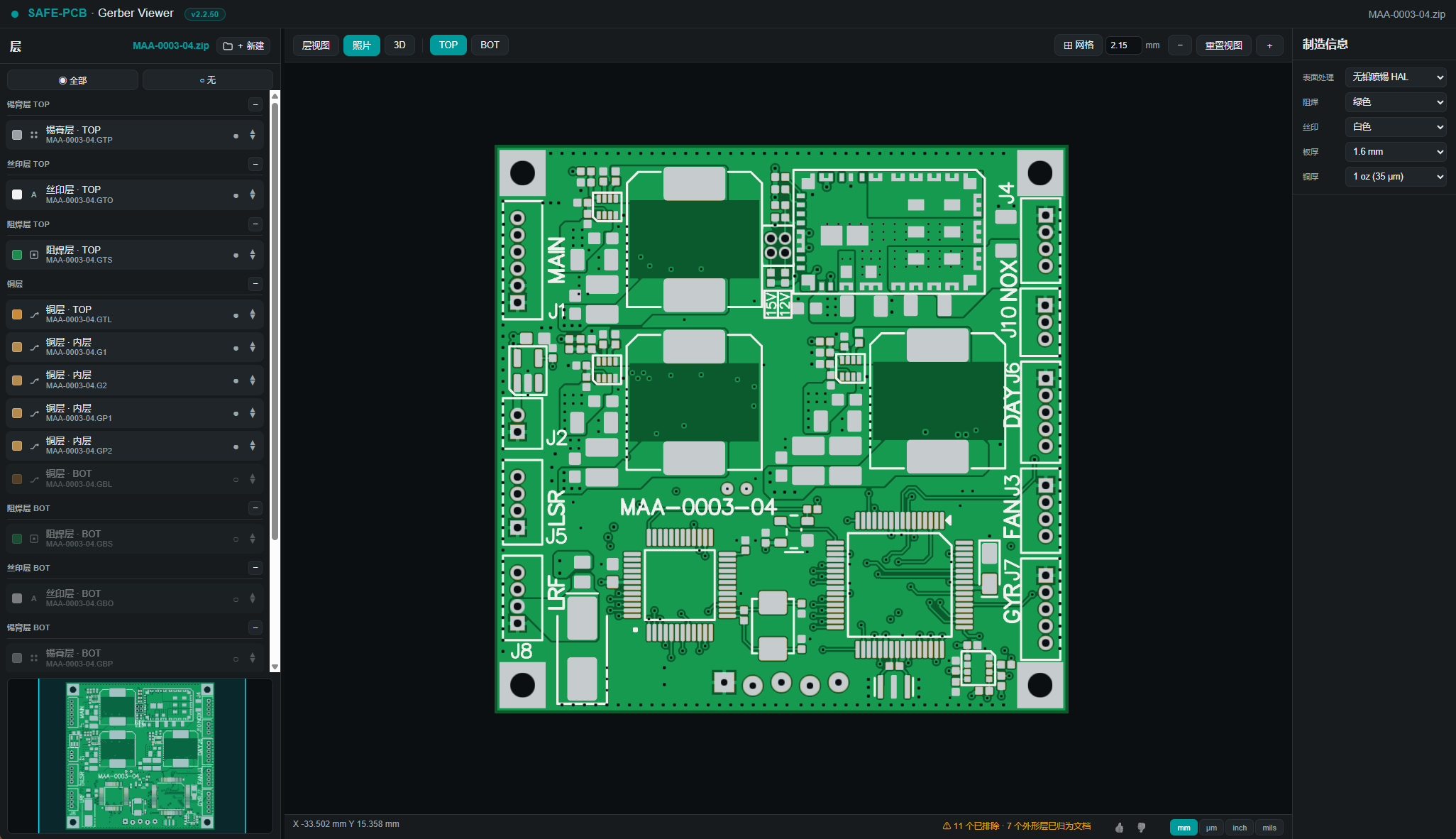
Photo View
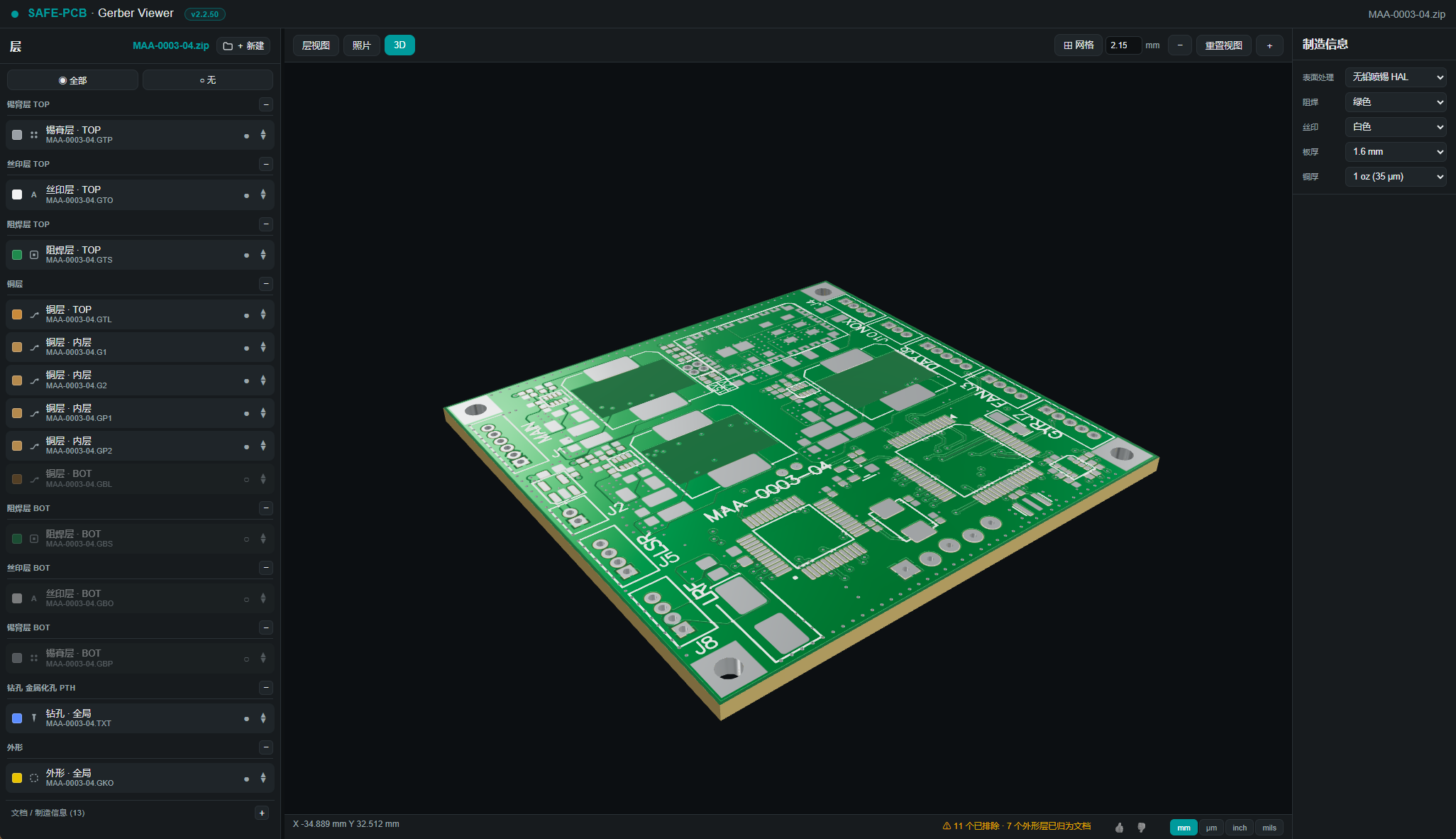
Interactive 3D
From Files to Manufacturing Data
From intelligent layer recognition to interactive 3D, the PMB Gerber Viewer turns manufacturing files into clear, actionable engineering data.
Automatically maps copper, solder mask, silkscreen, paste mask, drill, and outline files to the correct manufacturing layers.
Rotate the board to inspect its outline, hole positions, pads, and surface finish, and quickly confirm the finished appearance.
Switch grids and units and measure coordinates, distances, and clearances for engineering inspection.
Displays board dimensions, layer count, drill diameter distribution, minimum trace width, and exposed copper ratio in one place.
View combined solder mask and silkscreen results from the top or bottom to preview the finished board before requesting a quote.
Uploaded files are deleted promptly after parsing, keeping your manufacturing data secure.
Three Inspection Perspectives
Verify layer mapping and manufacturing data
Preview the finished top and bottom appearance
Rotate to inspect the board outline, holes, and surfaces
Complete Your Inspection in Three Steps
From manufacturing files to engineering approval, the viewer guides you through every step.
STEP-BY-STEP WORKFLOW
Prepare Manufacturing Files
Drop in a ZIP, RAR, 7z, or TGZ package to begin secure parsing.
Intelligent Analysis
Matches layers, drill data, and board outlines, then extracts key manufacturing parameters.
Engineering Approval
Switch between layer, photo, and 3D views to complete your engineering inspection.
Online Gerber Viewer
Upload your manufacturing files and complete a comprehensive inspection with intelligent layer recognition, detailed manufacturing parameters, precision measurements, photo previews, and interactive 3D. Make Gerber review and production checks clearer and more efficient.
| Key Comparison | PMB Gerber Viewer | Other Viewers |
|---|---|---|
| Core Positioning | Integrated Workspace for Manufacturing InspectionBrings manufacturing data, layer parsing, precision measurement, photo previews, and 3D viewing into one interface, reducing the need to switch between tools. | Third-Party Gerber Layer ViewerPrimarily designed for layer-by-layer rendering and basic layer inspection. The reference screenshot indicates that this product is no longer updated and is shown for reference only. |
| Features | Fast Loading and ParsingLoads and parses project files in about 10 seconds, so you can quickly begin layer review and engineering inspection. Semantic Layer MappingGroups data by paste mask, silkscreen, solder mask, copper, drill, and board outline while preserving the original filenames. Layer View, Photo Preview, and 3D VisualizationSwitch the same Gerber manufacturing package between technical layer views, finished-board previews, and interactive 3D. Detailed Manufacturing InformationDisplays board dimensions, area, copper layer count, silkscreen and solder mask layers, PTH hole counts and diameter distribution, minimum trace width, and exposed copper ratio in one place. | Limited Gerber Manufacturing Data and 3D VisualizationThe screenshots mainly show layer lists and 2D measurements, without a complete manufacturing parameters panel or a 3D finished-board preview for Gerber files. Limited Manufacturing InformationShows basic layers and visibility states but not detailed manufacturing parameters such as board dimensions, drill distribution, minimum trace width, or exposed copper ratio. No Integrated 3D VisualizationThe current Gerber viewing interface focuses on overlaid 2D layers and does not provide a rotatable 3D PCB view. |
| Supported Files | Gerber, Excellon, and ODB++ PackagesGerber and Excellon support ZIP, RAR, or 7z; ODB++ supports TGZ. | Gerber OnlyThe reference screenshot lists support for Gerber RS-274X only; X2 compatibility may be limited. |
| Gerber Viewer Usability | Modern Collaborative InterfaceSupports mouse panning and zooming, keyboard page navigation, layer visibility controls, and one-click show or hide for all layers. Precision Measurement and Engineering ToolsSupports grid and unit switching, coordinate readouts, distance and clearance measurement, plus selection, annotation, alignment, and outline inspection tools. Clear Mapping Between Layer Structure and Source FilesGroups layers by purpose and board side while retaining source filenames, visibility states, and manufacturing data for easy layer identification. | Clear 2D Measurements but Limited Manufacturing ContextCan record points, X/Y distances, and measurement history, but does not integrate them with detailed drill diameters, trace widths, layer counts, or process options. Limited Interaction Stability for Complex FilesThe reference screenshot indicates that layer matching, navigation, mouse interactions, and browser zoom may reduce inspection efficiency for complex files. |
| Maintenance and Support | Continuous UpdatesThe product is continuously improved to enhance usability and functionality. | Discontinued MaintenanceSome Gerber viewers are no longer updated or maintained and are better suited to rendering legacy formats or basic testing. |
Start with Your Manufacturing Files
Upload a Gerber, Excellon, or ODB++ package and complete a visual inspection before production.
The viewer is intended for preliminary review and quoting. Final engineering approval is still required before production.